Complete Technical Paper Content — Robot Path Planning Ai
1. Executive Abstract, Problem Formulation & Background
🤖 Digital Robot Navigation Intelligent Pathfinding System with Real-Time 3D Visualization A production-grade autonomous navigation system implementing classical AI search algorithms with real-time 3D visualization, modular architecture, and extensible planner framework. Getting Started · Architecture · Algorithms · Visualization · Documentation 📋 Table of Contents Overview Key Features AI Algorithms System Architecture Installation Quick Start Visualization Modes Configuration API Reference Performance Metrics Project Structure Technology Stack Future Roadmap Contributing License 🎯 Overview Digital Robot Navigation is an advanced pathfinding simulation that demonstrates the application of classical artificial intelligence search algorithms to autonomous robot navigation. The system models a robot operating in a discrete grid-based environment with obstacles, computing optimal or near-optimal paths from start to goal positions. This project bridges theoretical AI concepts with practical implementation, featuring: Multiple Search Algorithms — A*, Dijkstra, Greedy Best-First Search with unified interface Real-Time 3D Visualization — Interactive PyVista-powered environment with live search progression Modular Architecture — Clean separation of concerns enabling easy algorithm extension Performance Analytics — Comprehensive metrics tracking (nodes expanded, runtime, path optimality) The Autonomous Agent AI-powered navigation agent rendered from a procedurally generated GLB model with PBR materials ✨ Key Features Feature Description 🧠 Intelligent Search Four pathfinding algorithms with configurable heuristics 🎮 3D Live Visualization Real-time search progression with interactive camera controls 📊 Performance Metrics Track nodes expanded, path length, and execution time 🔌 Extensible Design Abstract Planner base class for custom algorithm implementation 🎨 Multiple Viz Modes Basic 2D, Professional 2D, and 3D Live rendering options ⚡ Optimized Runtime Efficient priority queue-based implementations 🤖 3D Robot Model GLB format support with automatic scaling and orientation 🧠 AI Algorithms This system implements foundational search algorithms from artificial intelligence, each with distinct characteristics: A* Search (Optimal) The gold standard for informed search, A* combines actual path cost g(n) with heuristic estimate h(n) : f(n) = g(n) + h(n) Completeness : ✅ Guaranteed to find a solution if one exists Optimality : ✅ Always finds the shortest path (with admissible heuristic) Time Complexity : O(b^d) where b = branching factor, d = depth Space Complexity : O(b^d) — stores all generated nodes Dijkstra's Algorithm (Uniform Cost) The uninformed variant that considers only actual path cost: f(n) = g(n) Completeness : ✅ Guaranteed Optimality : ✅ Always optimal Trade-off : Explores more nodes than A* (no heuristic guidance) Greedy Best-First Search (Fast) Prioritizes nodes closest to the goal (heuristic only): f(n) = h(n) Completeness : ❌ May fail in infinite spaces Optimality : ❌ Not guaranteed Trade-off : Very fast but may find suboptimal paths A* Stepper (Iterative) Custom implementation exposing search internals for visualization: Yields step-by-step events ( expand , frontier , path ) Enables real-time visualization of algorithm progression Tracks identical metrics to standard A* Heuristic Function All informed searches use Manhattan Distance : h ( n ) = | x_current - x_goal | + | y_current - y_goal | This heuristic is: Admissible : Never overestimates true cost (guarantees A* optimality) Consistent : h(n) ≤ cost(n, n') + h(n') for all successors 🏗 System Architecture The system follows a layered modular architecture with clear separation of concerns: Architectural Layers Layer Components Responsibility Entry main.py Configuration, orchestration, execution pipeline Orchestration RobotAgent Binds planners to navigation tasks Planning Planner ABC + implementations Search algorithm execution Foundation GridEnvironment , PlannerMetrics , Visualization Core services Design Patterns Strategy Pattern : Planner interface allows runtime algorithm selection Template Method : Base planner defines contract, subclasses implement specifics Observer Pattern : Visualization hooks for environment updates Factory Pattern : Planner instantiation based on configuration Data Flow ┌─────────────────────────────────────────────────────────────────┐ │ main.py │ │ ┌─────────────┐ ┌─────────────┐ ┌─────────────────────┐ │ │ │ Environment │───▶│ RobotAgent │───▶│ Planner.plan() │ │ │ │ (Grid) │ │ │ │ ├─ A* │ │ │ └─────────────┘ └─────────────┘ │ ├─ Dijkstra │ │ │ │ │ │ ├─ Greedy BFS │ │ │ │ │ │ └─ A* Stepper │ │ │ │ │ └─────────────────────┘ │ │ │ ▼ │ │ │ │ (path, metrics) │ │ │ │ │ │ │ │ ▼ ▼ ▼ │ │ ┌─────────────────────────────────────────────────────────────┤ │ │ Visualization │ │ │ Basic (2D) │ Professional (2D) │ 3D Live (PyVista) │ │ └─────────────────────────────────────────────────────────────┘ └─────────────────────────────────────────────────────────────────┘ 📦 Installation Prerequisites Python 3.10 or higher pip package manager OpenGL-compatible graphics (for 3D visualization) Setup Clone the repository git clone https://github.com/yourusername/digital-robot-navigation.git cd digital-robot-navigation Create virtual environment (recommended) python -m venv .venv # Windows .venv \S cripts \a ctivate # macOS/Linux source .venv/bin/activate Install dependencies pip install -r requirements.txt Core Dependencies Package Version Purpose numpy 2.4+ Numerical operations, grid manipulation matplotlib 3.10+ 2D visualization, diagram generation pyvista 0.47+ 3D visualization, interactive rendering vtk 9.6+ Visualization Toolkit backend simpleai 0.8+ Search algorithm implementations pillow 12.1+ Image processing, GIF generation 🚀 Quick Start Basic Usage python main.py Configuration Options Edit main.py to configure: # Select pathfinding algorithm PLANNER_TYPE = "astar" # Options: astar, dijkstra, greedy # Select visualization mode VIZ_MODE = "3d_live" # Options: basic, pro, 3d_live # Define the environment MAP = [ [ 0 , 0 , 0 , 0 , 0 , 1 , 0 ], [ 0 , 1 , 1 , 1 , 0 , 0 , 0 ], [ 1 , 0 , 0 , 0 , 0 , 0 , 1 ], [ 0 , 1 , 0 , 0 , 1 , 1 , 0 ], [ 0 , 0 , 0 , 1 , 0 , 0 , 0 ], [ 0 , 1 , 1 , 0 , 0 , 0 , 0 ], [ 0 , 0 , 0 , 0 , 1 , 0 , 0 ], [ 0 , 1 , 0 , 1 , 0 , 0 , 0 ], ] START = ( 0 , 0 ) # Row, Column GOAL = ( 7 , 6 ) # Row, Column Run Tests python smoke_tests.py 🎨 Visualization Modes 3D Live Mode ( VIZ_MODE = "3d_live" ) Real-time 3D visualization powered by PyVista: Live search visualization showing explored nodes (green), frontier (orange), and computed path (cyan) Features: Real-time node expansion visualization Animated robot movement along computed path Interactive camera controls (rotate, pan, zoom) Follow-camera mode (press F ) Automatic screenshot capture 3D Controls: Key Action F Toggle follow-camera mode Left Mouse Rotate view Right Mouse Pan view Scroll Zoom in/out Professional 2D Mode ( VIZ_MODE = "pro" ) High-quality static visualization: Dark theme with neon accents Directional path arrows Metrics overlay panel Timestamped PNG export Optional GIF animation Basic 2D Mode ( VIZ_MODE = "basic" ) Minimal matplotlib visualization for quick debugging. ⚙ Configuration Environment Configuration Grid values: 0 = Open (traversable) 1 = Obstacle (blocked) Movement model: 4-directional (Up, Down, Left, Right) Uniform cost per move 3D Visualization Settings Located in visualization/viz3d_live.py : # Robot model scaling ROBOT_SCALE = 0.85 # Max dimension relative to grid cell ROBOT_Z_PADDING = 0.02 # Ground clearance # Model axis correction (Y-up to Z-up conversion) MODEL_ROT_X = 90 MODEL_ROT_Y = 0 MODEL_ROT_Z = 0 # Material properties ROBOT_COLOR = "#4a90d9" # Steel blue ROBOT_METALLIC = 0.7 ROBOT_ROUGHNESS = 0.3 Pro Visualization Settings Located in visualization/pro_plotter.py : INTERPOLATION_STEPS = 10 # Animation smoothness 📚 API Reference Planner Interface from planners . base import Planner class CustomPlanner ( Planner ): @ property def name ( self ) -> str : return "Custom Planner" def plan ( self , start , goal , environment ): """ Compute path from start to goal. Args: start: Tuple (row, col) starting position goal: Tuple (row, col) target position environment: GridEnvironment instance Returns: Tuple (path, metrics) where: - path: List of (action, state) tuples - metrics: PlannerMetrics instance """ # Implementation here return path , metrics GridEnvironment from environment . grid_environment import GridEnvironment env = GridEnvironment ( grid_2d_list ) # Query neighbors neighbors = env . neighbors (( row , col )) # Returns [(action, state), ...] # Check traversability is_open = env . is_free ( row , col ) # Returns bool # Modify environment env . add_obstacle ( row , col ) env . remove_obstacle ( row , col ) PlannerMetrics from metrics . tracker import PlannerMetrics metrics = PlannerMetrics ( path_length = 0 , nodes_expanded = 0 , runtime = 0.0 , heuristic_cost = 0 ) # Export to dictionary data = metrics . to_dict () 📊 Performance Metrics The system tracks comprehensive performance data: Metric Description Typical Values path_length Number of moves in solution 10-50 for demo maps nodes_expanded States evaluated during search 20-200 for A* runtime Execution time in seconds 0.0001-0.01s heuristic_cost Initial Manhattan distance Varies by map Algorithmic Comparison Algorithm Nodes Expanded Optimality Speed A* Low ✅ Optimal Fast Dijkstra High ✅ Optimal Slower Greedy BFS Very Low ❌ Suboptimal Fastest 📁 Project Structure digital-robot-navigation/ ├── agents/ │ └── robot_agent.py # Navigation orchestrator ├── planners/ │ ├── base.py # Abstract Planner interface │ ├── astar.py # A* implementation (simpleai) │ ├── astar_stepper.py # A* with step iteration │ ├── dijkstra.py # Uniform cost search │ └── greedy.py # Greedy best-first search ├── environment/ │ └── grid_environment.py # Grid world representation ├── metrics/ │ └── tracker.py # Performance tracking ├── visualization/ │ ├── plotter.py # Basic 2D visualization │ ├── pro_plotter.py # Professional 2D visualization │ └── viz3d_live.py # 3D live visualization ├── assets/ │ ├── models/ │ │ ├── robot_basic_pbr.glb # Robot 3D model (PBR) │ │ └── robot_shaded.glb # Robot 3D model (fallback) │ └── demo/ │ └── *.png # Documentation images ├── outputs/ # Generated visualizations ├── main.py # Entry point ├── smoke_tests.py # Basic functionality tests ├── requirements.txt # Python dependencies └── README.md # This file 🛠 Technology Stack Category Technologies Language AI/Search Visualization Numerical 3D Assets 🔮 Future Roadmap Dynamic Obstacles — Real-time environment changes during navigation D Lite * — Incremental replanning for dynamic environments Multi-Agent — Coordinated navigation with collision avoidance RRT/RRT * — Sampling-based planning for continuous spaces Neural Heuristics — Learned heuristic functions via deep learning ROS Integration — Bridge to Robot Operating System Web Interface — Browser-based visualization and control 🤝 Contributing Contributions are welcome! Please follow these steps: Fork the repository Create a feature branch ( git checkout -b feature/amazing-feature ) Implement your changes with tests Commit with descriptive messages ( git commit -m 'Add amazing feature' ) Push to your branch ( git push origin feature/amazing-feature ) Open a Pull Request Adding a New Planner Create planners/your_planner.py Extend the Planner ABC Implement name property and plan() method Register in main.py._create_planner() 📄 License This project is licensed under the MIT License - see the LICENSE file for details. Built with 🤖 by AI Engineers, for AI Engineers Demonstrating the elegant intersection of classical AI and modern visualization
A production-grade autonomous navigation system implementing classical AI search algorithms with real-time 3D visualization, modular architecture, and extensible planner framework.
Digital Robot Navigation is an advanced pathfinding simulation that demonstrates the application of classical artificial intelligence search algorithms to autonomous robot navigation. The system models a robot operating in a discrete grid-based environment with obstacles, computing optimal or near-optimal paths from start to goal positions.
This project bridges theoretical AI concepts with practical implementation, featuring:
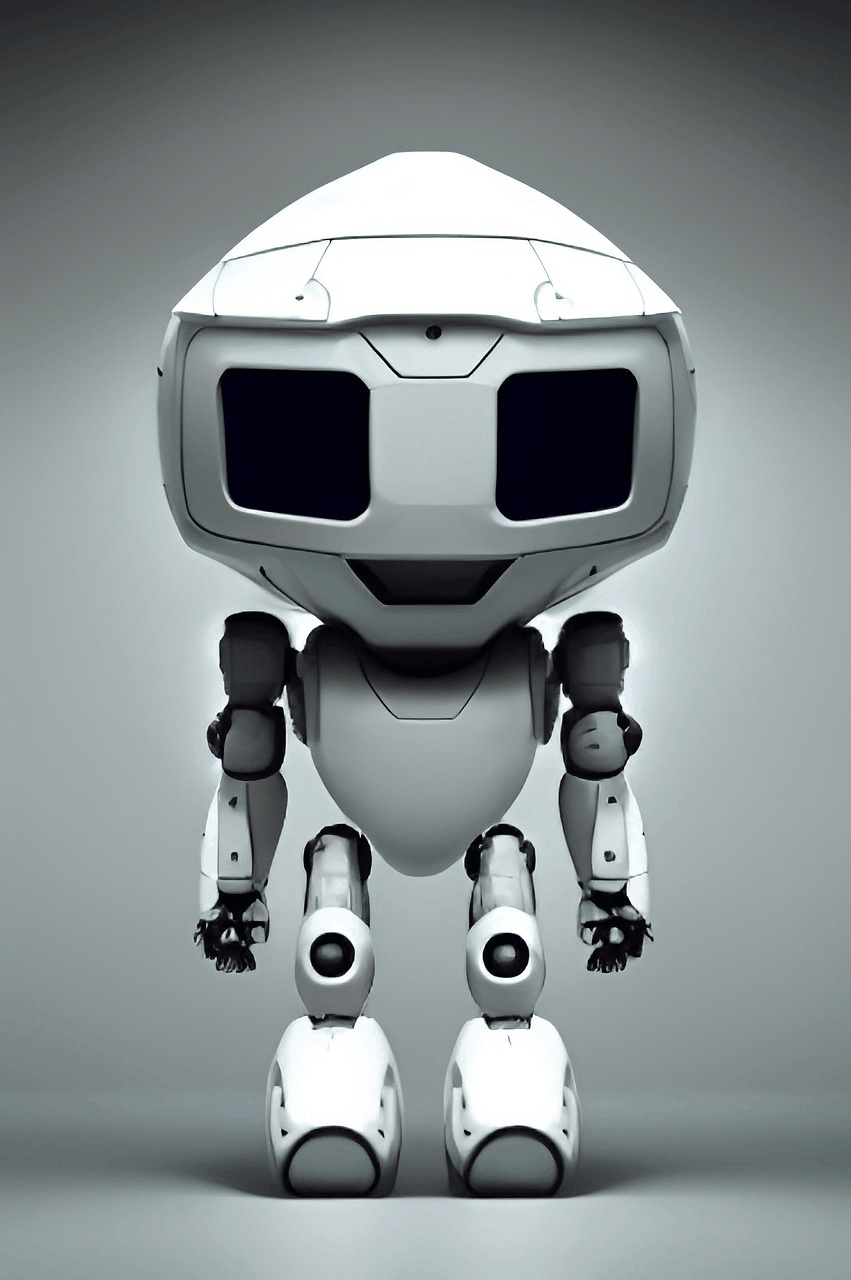
AI-powered navigation agent rendered from a procedurally generated GLB model with PBR materials
This system implements foundational search algorithms from artificial intelligence, each with distinct characteristics:
2. Related Work, Literature Survey & Algorithmic Foundations
The gold standard for informed search, A* combines actual path cost g(n) with heuristic estimate h(n) :
┌─────────────────────────────────────────────────────────────────┐ │ main.py │ │ ┌─────────────┐ ┌─────────────┐ ┌─────────────────────┐ │ │ │ Environment │───▶│ RobotAgent │───▶│ Planner.plan() │ │ │ │ (Grid) │ │ │ │ ├─ A* │ │ │ └─────────────┘ └─────────────┘ │ ├─ Dijkstra │ │ │ │ │ │ ├─ Greedy BFS │ │ │ │ │ │ └─ A* Stepper │ │ │ │ │ └─────────────────────┘ │ │ │ ▼ │ │ │ │ (path, metrics) │ │ │ │ │ │ │ │ ▼ ▼ ▼ │ │ ┌─────────────────────────────────────────────────────────────┤ │ │ Visualization │ │ │ Basic (2D) │ Professional (2D) │ 3D Live (PyVista) │ │ └─────────────────────────────────────────────────────────────┘ └─────────────────────────────────────────────────────────────────┘
git clone https://github.com/yourusername/digital-robot-navigation.git cd digital-robot-navigation
python -m venv .venv # Windows .venv \S cripts \a ctivate # macOS/Linux source .venv/bin/activate
# Select pathfinding algorithm PLANNER_TYPE = "astar" # Options: astar, dijkstra, greedy # Select visualization mode VIZ_MODE = "3d_live" # Options: basic, pro, 3d_live # Define the environment MAP = [ [ 0 , 0 , 0 , 0 , 0 , 1 , 0 ], [ 0 , 1 , 1 , 1 , 0 , 0 , 0 ], [ 1 , 0 , 0 , 0 , 0 , 0 , 1 ], [ 0 , 1 , 0 , 0 , 1 , 1 , 0 ], [ 0 , 0 , 0 , 1 , 0 , 0 , 0 ], [ 0 , 1 , 1 , 0 , 0 , 0 , 0 ], [ 0 , 0 , 0 , 0 , 1 , 0 , 0 ], [ 0 , 1 , 0 , 1 , 0 , 0 , 0 ], ] START = ( 0 , 0 ) # Row, Column GOAL = ( 7 , 6 ) # Row, Column
Live search visualization showing explored nodes (green), frontier (orange), and computed path (cyan)
3. Dataset Ingestion, Preprocessing & Stochastic Augmentations
# Robot model scaling ROBOT_SCALE = 0.85 # Max dimension relative to grid cell ROBOT_Z_PADDING = 0.02 # Ground clearance # Model axis correction (Y-up to Z-up conversion) MODEL_ROT_X = 90 MODEL_ROT_Y = 0 MODEL_ROT_Z = 0 # Material properties ROBOT_COLOR = "#4a90d9" # Steel blue ROBOT_METALLIC = 0.7 ROBOT_ROUGHNESS = 0.3
from planners . base import Planner class CustomPlanner ( Planner ): @ property def name ( self ) -> str : return "Custom Planner" def plan ( self , start , goal , environment ): """ Compute path from start to goal. Args: start: Tuple (row, col) starting position goal: Tuple (row, col) target position environment: GridEnvironment instance Returns: Tuple (path, metrics) where: - path: List of (action, state) tuples - metrics: PlannerMetrics instance """ # Implementation here return path , metrics
from environment . grid_environment import GridEnvironment env = GridEnvironment ( grid_2d_list ) # Query neighbors neighbors = env . neighbors (( row , col )) # Returns [(action, state), ...] # Check traversability is_open = env . is_free ( row , col ) # Returns bool # Modify environment env . add_obstacle ( row , col ) env . remove_obstacle ( row , col )
from metrics . tracker import PlannerMetrics metrics = PlannerMetrics ( path_length = 0 , nodes_expanded = 0 , runtime = 0.0 , heuristic_cost = 0 ) # Export to dictionary data = metrics . to_dict ()
digital-robot-navigation/ ├── agents/ │ └── robot_agent.py # Navigation orchestrator ├── planners/ │ ├── base.py # Abstract Planner interface │ ├── astar.py # A* implementation (simpleai) │ ├── astar_stepper.py # A* with step iteration │ ├── dijkstra.py # Uniform cost search │ └── greedy.py # Greedy best-first search ├── environment/ │ └── grid_environment.py # Grid world representation ├── metrics/ │ └── tracker.py # Performance tracking ├── visualization/ │ ├── plotter.py # Basic 2D visualization │ ├── pro_plotter.py # Professional 2D visualization │ └── viz3d_live.py # 3D live visualization ├── assets/ │ ├── models/ │ │ ├── robot_basic_pbr.glb # Robot 3D model (PBR) │ │ └── robot_shaded.glb # Robot 3D model (fallback) │ └── demo/ │ └── *.png # Documentation images ├── outputs/ # Generated visualizations ├── main.py # Entry point ├── smoke_tests.py # Basic functionality tests ├── requirements.txt # Python dependencies └── README.md # This file
Advancing robotic navigation through modular search algorithms and real-time 3D visualization, this project demonstrates AI-driven path planning within dynamic grid environments. It showcases live search exploration, smooth robot motion, and interactive terrain rendering to highlight the tradeoffs between classical planning strategies in AR systems
4. Neural Network Backbone, Layer Specifications & Loss Formulations
Robotic Path Planning Using Diffusion Models This project was conducted as part of the Advanced Deep Learning in Robotics (ADLR) course at the Learning AI for Dexterous Robots lab of Prof. Dr. Berthold Bäuml, in cooperation with the German Aerospace Center (DLR). The aim was to explore the usage of diffusion models for robotic path planning. We reference the work of Janner et al. Diffuser . We explored diffusion models for path planning in 2D and 3D environments. Initially applied to the 2D Pointmaze-medium, we then extended our work to the Kuka Robot LWR3. 2D Pointmaze-Medium Kuka Robot LWR3
This project was conducted as part of the Advanced Deep Learning in Robotics (ADLR) course at the Learning AI for Dexterous Robots lab of Prof. Dr. Berthold Bäuml, in cooperation with the German Aerospace Center (DLR). The aim was to explore the usage of diffusion models for robotic path planning. We reference the work of Janner et al. Diffuser .
We explored diffusion models for path planning in 2D and 3D environments. Initially applied to the 2D Pointmaze-medium, we then extended our work to the Kuka Robot LWR3.
This project explores Robotic Path Planning Using Diffusion Models (Janner et al., 2023) in 2D and 3D environments. The project was completed for Advanced Deep Learning in Robotics (ADLR) course at TU Munich at the Learning AI for Dexterous Robots lab of Prof. Dr. Berthold Bäuml, in cooperation with the German Aerospace Center (DLR).
Adaptive Robot Path Planning in Dynamic Environments using Reinforcement Learning Overview This project implements a Deep Q-Learning (DQN) model for adaptive robot path planning in dynamic grid-based environments. The model is enhanced with Transformer architecture and positional encoding , enabling improved spatial awareness and decision-making. It incorporates advanced reinforcement learning techniques like Prioritized Replay Buffer to optimize training and efficiency. A Pygame-based simulation environment is developed to test the robot's adaptability in dynamic and static obstacle scenarios. The project demonstrates how reinforcement learning can be applied to real-world challenges in navigation and robotics. Features Deep Q-Learning with Transformer Architecture : Integrated positional encoding for enhanced spatial representation. Compared performance with and without Transformer models using hyperparameter optimization. Dynamic Environment Simulation : Designed a grid-based simulation with dynamic and static obstacles using Pygame . Includes real-time robot navigation and obstacle interactions. Prioritized Experience Replay : Implemented a Prioritized Replay Buffer to sample high-priority experiences, improving training efficiency. Performance Visualization : Real-time visualization of robot movements, pathfinding efficiency, and dynamic obstacles. Metrics plotted to analyze performance across multiple training episodes. Hyperparameter Optimization : Utilized Optuna to perform 150 trials for tuning hyperparameters, achieving optimal configurations. Installation and Setup Clone the repository: git clone https://github.com/your-username/robot-path-planning.git cd robot-path-planning Install dependencies: pip install -r requirements.txt Run the simulation: python main.py How It Works Reinforcement Learning Model : The agent learns the optimal path using Deep Q-Learning by navigating a grid environment and avoiding obstacles. Rewards and penalties guide the learning process. Transformer Integration : A Transformer-based model with positional encoding is used to improve pathfinding efficiency. Compared performance metrics with and without Transformer integration. Simulation Environment : Obstacles move dynamically in the environment, and the robot adjusts its path in real time. The simulation visualizes robot movements and highlights the shortest path to the goal. Hyperparameter Optimization : Key parameters like learning rate, gamma, epsilon decay, and Transformer-specific configurations were optimized using Optuna . Results Improved Efficiency : Transformer-based models demonstrated faster pathfinding and better adaptability. Enhanced Training : Prioritized Replay Buffer reduced training time by focusing on high-priority experiences. Visual Analysis : Performance metrics and visualizations validated the effectiveness of the reinforcement learning approach. Future Work Implement advanced reinforcement learning algorithms like Double DQN, Dueling DQN, and PPO . Extend to multi-agent systems and real-world robotics integration. Add visual perception capabilities using deep learning for obstacle detection. Technologies Used Python : Core programming language. PyTorch : Framework for building and training neural networks. Pygame : Simulation environment. Optuna : Hyperparameter optimization. Matplotlib : Visualization of performance metrics. Screenshots Without Transformer With Transformer Pygame Simulation Contributors BTech in Computer Science Engineering, IIIT Nagpur License This project is licensed under the MIT License. See the LICENSE file for details.
This project implements a Deep Q-Learning (DQN) model for adaptive robot path planning in dynamic grid-based environments. The model is enhanced with Transformer architecture and positional encoding , enabling improved spatial awareness and decision-making. It incorporates advanced reinforcement learning techniques like Prioritized Replay Buffer to optimize training and efficiency.
5. Training Protocol, Convergence Behavior & Experimental Evaluation
A Pygame-based simulation environment is developed to test the robot's adaptability in dynamic and static obstacle scenarios. The project demonstrates how reinforcement learning can be applied to real-world challenges in navigation and robotics.
git clone https://github.com/your-username/robot-path-planning.git cd robot-path-planning
Adaptive Robot Path Planning in Dynamic Environments: Developed a Deep Q-Learning (DQN) model with Transformer architecture and positional encoding for efficient robot navigation in dynamic environments. Integrated Prioritized Replay Buffer for optimized training and implemented a Pygame-based simulation to test adaptability.
LLMs for Path Planning for Mobile Ground Robots Overview This Python script presents an LLM based approach to robotic path planning, where the core innovation lies in its ability to translate high-level, human-like instructions into precise, machine-readable commands for navigation. By leveraging the capabilities of OpenAI's GPT-3.5, a state-of-the-art Large Language Model (LLM), the script bridges the gap between natural language communication and complex robotic control. This integration facilitates dynamic and adaptive path planning in a 2D simulation environment, realized through pygame for visualization and matplotlib for plotting. The script not only simulates path planning using artificial potential fields but also showcases how advanced AI can interpret and execute nuanced human directives in the realm of robotics. Features Real-time simulation in an 800x800 space with boundaries, using pygame. Utilization of artificial potential fields for obstacle avoidance and goal-oriented movement. Innovative solution to the local minima problem, enhancing navigational efficiency. Direct integration with GPT-3.5 to interpret and process natural language instructions, turning abstract user commands into actionable robotic paths. Visual representation and debugging through matplotlib plotting. Artificial Potential Field-Based Path Planning Attractive and Repulsive Potentials: The robot navigates by balancing forces from attractive potentials (goals) and repulsive potentials (obstacles). Local Minima Problem: A significant challenge where the robot gets stuck without a direction to move due to equal attractive and repulsive forces. Solution in Code: When a local minimum is detected, the script temporarily sets a corner of the space as a new goal to move the robot out of the stuck position. Integration of Large Language Models (LLMs) in Robotics Natural Language Instruction Processing: Allows robots to understand and act on complex, human-like instructions. Dynamic and Adaptive Decision Making: Enhances the robot's ability to make real-time decisions based on its current state and environment. Improving Human-Robot Interaction: Makes interactions with robots more intuitive and efficient, enhancing the overall user experience. Role of GPT-3.5 in Path Planning Interpreting User Input: GPT-3.5 processes high-level, natural language instructions from users. Translating to Actionable Commands: It translates these instructions into a specific format for the robot's navigation system. Determining Goals and Repulsors: Based on user input, GPT-3.5 decides the robot's goal location and identifies regions to avoid, configuring them as repulsors in the simulation. Output Format: The output is formatted to be directly usable by the path planning system, typically including goal coordinates and repulsors. Dynamic Adaptability: GPT-3.5's ability to adapt to varied instructions makes the robot's path planning flexible and responsive. Customization Modify the circle_positions , obstacle_positions , and start variables to change the initial setup. Update goal_position and repulsors for different path planning scenarios. Future Works and Improvements Multiple Coordinating Robots in Formation Formation Control: Extend to handle multiple robots moving in formation. Collision Avoidance: Implement inter-robot collision avoidance mechanisms. Advanced Path Planning Algorithms Handling General Commands: Upgrade to process more complex commands. Algorithm Diversity: Explore different algorithms for various navigation scenarios. Robustness Framework Definition and Measurement: Develop a framework for defining and measuring robustness. Enhanced Adaptability: Improve adaptability to changing environments and scenarios. Enhanced LLM Integration Improved Natural Language Understanding: Further enhance LLM integration for nuanced instructions. Feedback Loop: Establish a feedback loop for continuous improvement. User Interface and Experience Intuitive UI: Develop a user-friendly interface for inputting commands and visualizing paths. Real-World Testing: Test in real-world scenarios for practical insights and refinements. Simulation Screenshot Below is a screenshot of the simulation in action, demonstrating the user interface with a command input to "go to blue circle" and the resulting visualization of the robot's path planning towards the blue circle while avoiding obstacles.
This Python script presents an LLM based approach to robotic path planning, where the core innovation lies in its ability to translate high-level, human-like instructions into precise, machine-readable commands for navigation. By leveraging the capabilities of OpenAI's GPT-3.5, a state-of-the-art Large Language Model (LLM), the script bridges the gap between natural language communication and complex robotic control. This integration facilitates dynamic and adaptive path planning in a 2D simulation environment, realized through pygame for visualization and matplotlib for plotting. The script not only simulates path planning using artificial potential fields but also showcases how advanced AI can interpret and execute nuanced human directives in the realm of robotics.
Below is a screenshot of the simulation in action, demonstrating the user interface with a command input to "go to blue circle" and the resulting visualization of the robot's path planning towards the blue circle while avoiding obstacles.
Model Figures & Evaluation Curves (4 Images)
Deep Learning Execution Pipeline
(Preprocessing)
(Feature Extraction)
(Self-Attention)
(Loss Optimization)