git-crypt Secrets in Git
git-crypt enables transparent encryption of selected files in a Git repository. Ciphertext is what gets stored on the remote; teammates and CI runners with the right key see plaintext only after git-crypt unlock. This project covers repository setup, path filters, GPG-based collaboration, and integration into a DevOps CI/CD pipeline.
Encrypted Git Repository DevOps — git-crypt CI CD Unlock. Typical stack: Git, git-crypt, GPG, Jenkins/GitLab CI, optional HashiCorp Vault or cloud secret managers for key distribution.
Tools Used
Why Encrypt Secrets in Git?
- Application config often contains API keys, DB passwords, TLS keys — accidental commits still happen
- Plain secrets in Git history are hard to scrub and easy to leak via forks or backups
- git-crypt keeps workflow familiar (
git add/commit/push) while storing only encrypted blobs for protected paths - Complements (does not replace) dedicated secret stores; useful for small teams and lab/demo pipelines
Limitation: anyone with the unlock key can read all protected files; key distribution and rotation must be deliberate. For production at scale, prefer sealed secrets, cloud KMS, or Vault with short-lived credentials — git-crypt remains excellent for teaching secure Git practices.
Core Workflow
git-crypt init— create repository symmetric key under.git-crypt/- Edit
.gitattributes— mark paths withfilter=git-crypt diff=git-crypt - Add secret files → commit → push (remote stores ciphertext)
- Collaborators:
git-crypt add-gpg-user USER_IDor share exported key securely - Clone without key → encrypted files unreadable; with key →
git-crypt unlock
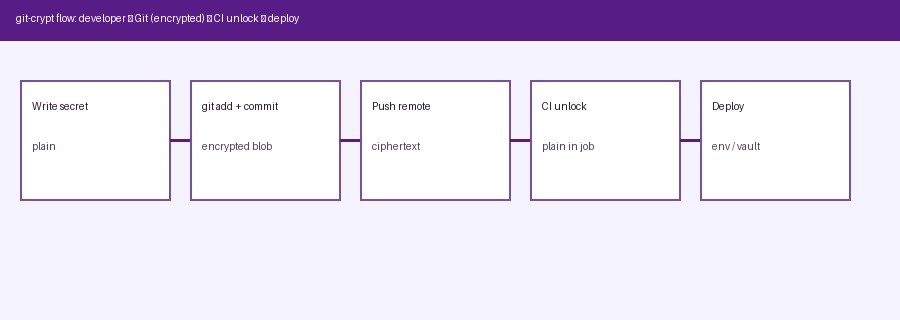
End-to-end flow: developer writes secret → Git stores encrypted blob → CI unlocks → deploy uses plaintext only in job.
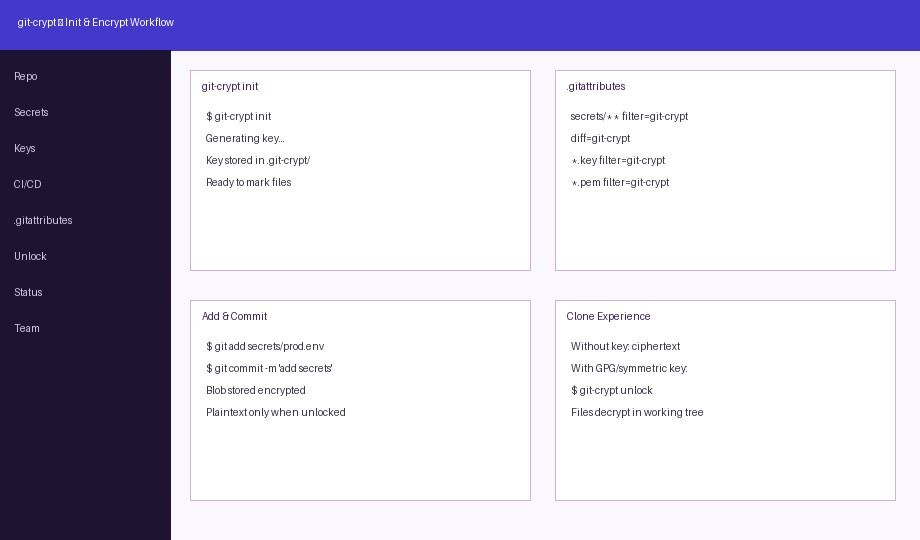
Init, .gitattributes filters, add/commit encrypted paths, clone unlock experience.
CI/CD Unlock Pattern
Typical pipeline stages:
- Checkout — encrypted files present as ciphertext
- Unlock — inject key from CI secret store; run
git-crypt unlock(or unlock with key file) - Build / Test / Deploy — read decrypted env files or certs
- Cleanup — wipe workspace; never print secrets in logs (mask CI variables)
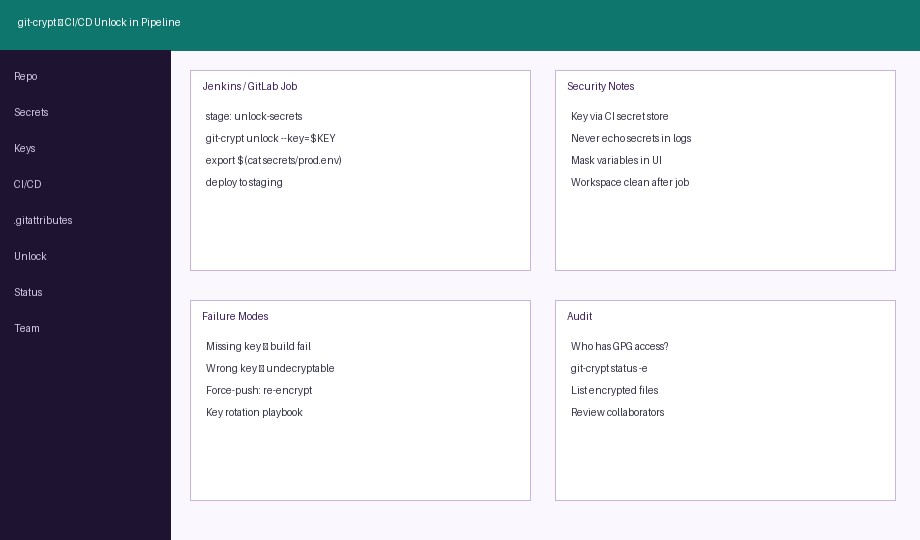
CI job: unlock with protected key, deploy, audit and failure modes.
DevOps git-crypt Screens
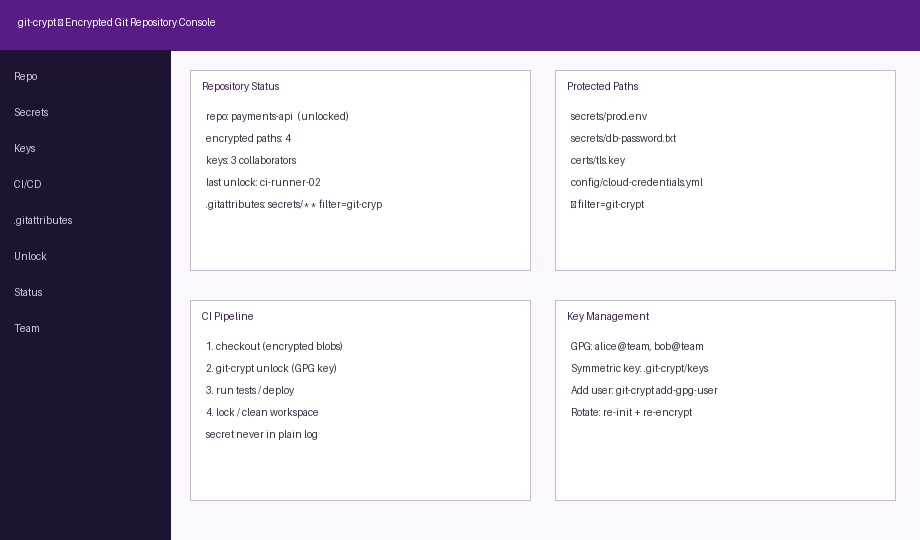
Console view — repo status, protected paths, pipeline, keys.
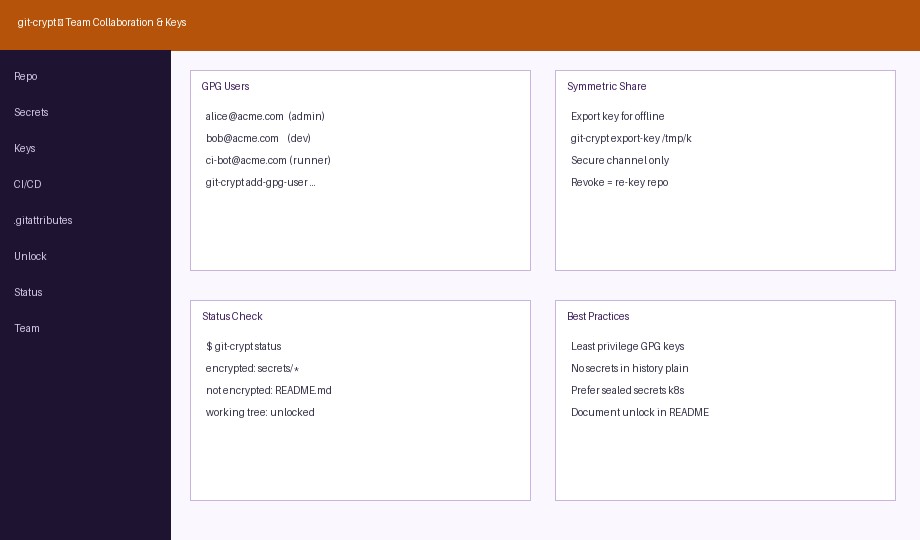
Team GPG users, symmetric export, status and practices.
Best Practices & Pitfalls
- Never commit the unlock key to the same repo
- Use least-privilege GPG keys; separate CI bot identity
- Document unlock steps in README for humans (not the key itself)
git-crypt status/status -eto verify what is encrypted- Rotation: re-encrypt after removing a collaborator (plan downtime)
- History before git-crypt adoption may still contain plain secrets — rotate those credentials
- Combine with branch protection, signed commits, and secret scanning (e.g. gitleaks) on non-encrypted paths
Suggested Student Project Scope
- Demo repo with
secrets/and public code side by side .gitattributesrules and sampleprod.env/ TLS key- Two GPG identities (dev + CI) via
add-gpg-user - GitLab CI or Jenkinsfile that unlocks, runs a dry-run deploy, then cleans up
- Report: threat model, comparison with .env.example + external Vault, screenshots of encrypted vs unlocked tree
- Optional: migrate one secret to sealed-secrets / cloud KMS and discuss trade-offs
Why Choose Us?
Bangalore support for CSE / IT students on secure DevOps and Git workflows.
git-crypt Deep Dive
Init, filters, unlock, GPG users and status commands explained for lab use.
CI/CD Integration
Patterns for Jenkins/GitLab secret injection and workspace hygiene.
Security Mindset
Threat model, rotation, and when to prefer Vault / KMS instead.
Report & Viva
University-format report, PPT and viva Q&A on encrypted Git repos.
FAQ
Secure DevOps Lab — Bangalore
git-crypt, GPG, CI secrets and pipeline hygiene.
Init
Filters
Users
Unlock
Audit
Rotation
Compare
Support